
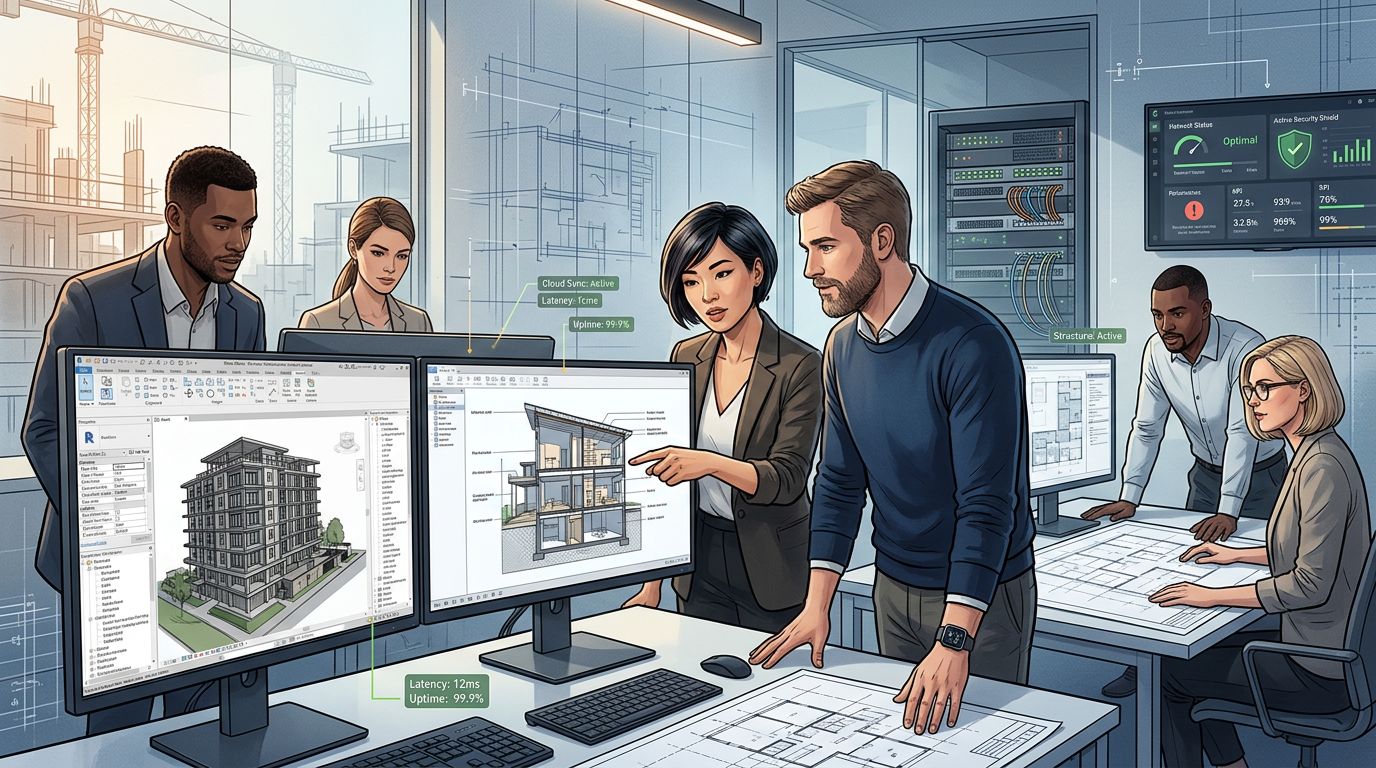
Architecture firms often have an internal IT person or small team, but that doesn’t always cover everything a firm needs. Co-managed IT support for architecture firms lets your internal IT staff focus on daily priorities while a dedicated provider handles specialised architecture IT support, cybersecurity, and infrastructure management. This model works alongside your existing team rather than replacing them.
Architectural firms rely on large file transfers, BIM software, and cloud collaboration tools that require ongoing maintenance and monitoring. When your internal IT support is stretched across help desk tickets, network issues, and strategic planning, gaps can appear in areas like cybersecurity and long-term IT management.
This is where a co-managed approach makes a practical difference. You get access to broader expertise and resources without giving up control of your IT decisions, and your internal team gets support where they need it most.
How Internal IT and External Specialists Work Together
A well-structured partnership sets clear boundaries between what your internal IT staff handles and what a managed service provider takes on. This division allows your firm to strengthen operational efficiency while keeping the systems that matter most under your direct control.
Defining Ownership Across Daily Support and Strategic Projects
Your internal IT team typically retains ownership of business priorities, approvals, and decisions about which technology direction fits your firm.
External managed IT services generally cover the repeatable work, including software support, patching, backups, and system checks. This split reduces confusion because both sides know their lane before a project starts.
For architecture firms, this often means:
- Internal staff manage CAD and BIM licensing decisions, project file structures, and client-specific workflows.
- The provider handles server maintenance, network performance, and routine software updates.
- Larger initiatives, such as a server migration or new project management platform, get planned jointly, with the provider handling technical execution and your team confirming it fits daily operations.
Closing Skills and Capacity Gaps Without Replacing Internal Teams
Most architecture firms don’t have the budget or workload to justify a full internal team covering cybersecurity, cloud infrastructure, and compliance all at once.
A managed service provider fills these gaps by supplying specialists on an as-needed basis, rather than requiring you to hire for every skill set.
This arrangement typically adds:
| Gap | External Support Provided |
|---|---|
| After-hours coverage | 24/7 monitoring and incident response |
| Overflow tickets | Helpdesk support for routine user issues |
| Specialist knowledge | Cybersecurity, cloud, and compliance expertise |
| Local response | Local IT support for onsite hardware or network issues |
Your internal team stays focused on architecture-specific systems and user relationships, while the provider absorbs technical work that would otherwise stretch a small IT department too thin.
IT Support for Architecture Firms with Internal IT can Choose a Co-Managed Model That Fits Your Firm
Not every firm needs the same mix of internal and external support. Some firms need broad managed IT support services covering nearly all operational tasks, while others only need help during peak project periods or system upgrades.
When choosing a model, consider:
- Team size – a one- or two-person IT department may need more external coverage than a firm with five or more staff.
- Project complexity – firms running heavy BIM or rendering workloads may need stronger proactive system monitoring to prevent downtime.
- Growth plans – firms expanding to new offices or adding staff may need a provider that can scale support without a lengthy onboarding process.
The right model should match your current workload, not force your internal team into a structure that doesn’t reflect how your firm actually operates.
Building Reliable Systems for Design Workflows
Your firm’s IT infrastructure needs to handle large file sizes, graphics-intensive applications, and multiple concurrent users without slowing down project timelines. Getting workstation specifications, network capacity, and application support right from the start reduces the ongoing troubleshooting that pulls your internal IT team away from other priorities.
Sizing Workstations and Networks for Demanding Models
Architecture workflows depend on high-performance workstations that can process complex 3D models without lag. Your team needs to match hardware specifications, particularly GPU, RAM, and processor speed, to the software you run most often.
A workstation running Revit or Rhino for large-scale projects requires different specifications than one used mainly for 2D drafting.
Network capacity matters just as much as individual machine performance. When multiple staff access shared files or work from central servers, bandwidth limitations can create delays that affect the whole studio.
Consider these factors when sizing your systems:
- File size trends: Track how project file sizes have grown over the past two years
- Concurrent users: Identify how many staff need simultaneous access to shared models
- Storage type: SSDs reduce load times for large BIM files compared to traditional hard drives
- Network speed: Gigabit connections support smoother file transfers for teams working from central servers
Supporting CAD, BIM, and Rendering Applications
Design software has specific technical requirements that differ from standard business applications. AutoCAD, Revit, SketchUp, and similar tools rely on stable drivers, adequate memory allocation, and compatible operating systems to function properly.
Building information modeling software, in particular, places heavy demands on system resources when handling detailed models with multiple linked files.
Your internal IT team should maintain a clear picture of which applications each department uses and their minimum system requirements. Rendering tasks add another layer of complexity, often requiring dedicated hardware or cloud-based rendering solutions to avoid tying up workstations for hours at a time.
Keeping software updated matters too. Outdated versions of CAD or BIM tools can create compatibility issues when collaborating with external consultants or clients using newer releases.
Maintaining Performance During Project Peaks
Project deadlines create predictable spikes in system demand, and your infrastructure needs to handle these periods without a drop in performance. Uptime becomes critical when your team is finalising drawings or preparing renders for client presentations.
Monitoring tools that track system performance in real time help your IT staff catch potential issues before they cause downtime.
Planning ahead for peak periods can prevent avoidable disruptions:
- Schedule software updates and maintenance during low-activity periods
- Set up alerts for storage capacity thresholds before they become urgent
- Test backup systems regularly so recovery works when you actually need it
- Review network traffic patterns to identify bottlenecks before major deadlines
High-performance computing resources, whether on-site or cloud-based, give your firm the flexibility to scale capacity during intense project phases without permanently over-investing in hardware that sits idle during quieter periods.
Managing Project Files and Collaboration Securely
Your firm’s project files include large BIM models, CAD drawings, and design documentation that need to be stored reliably, tracked accurately, and shared without exposing sensitive data. Getting file management right means choosing the correct storage architecture, applying version control, and setting clear access controls for anyone outside your internal team.
Selecting Storage for Large BIM and CAD Files
BIM files and CAD drawings grow quickly, often reaching several gigabytes per project once you factor in renderings and linked models. Your storage solution needs to handle this volume without slowing down your team’s access to current work.
Cloud storage gives you scalable storage that expands as project demands grow, rather than forcing you into hardware upgrades every time capacity runs low. Many firms combine local high-speed storage for active projects with cloud solutions for archived or completed work.
This hybrid approach balances performance with cost. When evaluating cloud services, check sync speeds for large files and confirm the platform supports the file types your design software produces.
Preventing Conflicts With Version Control and File Governance
Multiple team members editing the same design files without proper version control leads to overwritten changes and confused revision histories. You need a system that tracks who changed what and when, particularly on Revit or AutoCAD files with several contributors.
File governance should include:
- Locked files during active editing to prevent simultaneous overwrites
- Consistent naming conventions across all project files, including revision numbers and dates
- Automatic backups at set intervals, separate from your main project files
- Clear folder structures that mirror project phases, from schematic design through construction administration
Strong file management practices reduce the risk of working from outdated drawings. They also make it easier to trace decisions back to a specific version if disputes arise later.
Giving Clients and Project Partners Controlled Access
Clients, consultants, and contractors all need access to specific project files, but not to your entire system. Access controls let you define exactly what each external party can see, edit, or download.
Secure file sharing platforms support real-time collaboration and remote collaboration without requiring you to email large attachments, which is unreliable once files exceed typical size limits. Instead, you can set permissions per folder or file, so a structural engineer sees BIM files relevant to their discipline while a client sees only approved drawings for review, similar to the secure client portal approach many firms adopt.
Pairing this with cloud-based project management tools keeps communication and file access in one place. Setting expiry dates on shared links and reviewing permissions at each project phase further limits exposure once a consultant’s involvement ends.
IT Support for Architecture Firms with Internal IT: Enabling Secure Remote and Hybrid Work
Architecture and engineering firms rely on large design files, specialised software, and consistent collaboration between office-based and remote staff. Getting remote access, connection security, and device consistency right is what allows your teams to work productively without exposing your firm to unnecessary risk.
Delivering Fast Remote Access to Files and Applications
Your architects need quick access to large CAD files, BIM models, and rendering software regardless of where they’re working. Slow remote access frustrates staff and can delay project timelines.
Cloud computing has changed how firms handle this problem. Rather than relying solely on on-premises servers, many firms now host files and applications in the cloud, giving remote and hybrid staff the same performance they’d get in the office.
Your internal IT team should assess:
- Bandwidth requirements for large file transfers
- Application licensing for remote use
- Storage location (cloud, on-premises, or hybrid)
- Sync speeds between office and remote locations
Firms that don’t modernise remote access often see staff resort to unofficial workarounds, such as personal cloud storage accounts, which increases security risk.
Protecting Connections Across Homes, Sites, and Offices
Your staff connect from home networks, client sites, and construction locations, each with different security postures. This creates a wider attack surface than a single office network ever did.
Secure remote access typically starts with a secure VPN access setup, encrypting traffic between your team’s devices and your internal networks. However, unmanaged personal devices accessing business data without any security controls represent one of the biggest risks in remote work, so VPN access alone isn’t enough.
A stronger approach combines:
| Layer | Purpose |
|---|---|
| VPN or Zero Trust access | Encrypts and verifies connections |
| Multi-factor authentication | Confirms user identity |
| Device compliance checks | Blocks risky or unmanaged devices |
| Network segmentation | Limits exposure if a breach occurs |
This layered model reflects the shift many organisations are making, where security no longer assumes any user identity or device is safe by default, regardless of network location.
Standardising Devices for Distributed Teams
Distributed teams often use a mix of laptops, desktops, and personal devices, which makes consistent security harder to maintain. Standardising your device fleet reduces this complexity significantly.
Your internal IT team should maintain:
- A defined list of approved hardware and software
- Mandatory device enrolment in your management platform
- Automatic security patching and updates
- Clear policies for personal devices used for work
For firms managing dispersed staff and contractors, layered IT and security controls play a specific role in reducing risk and improving performance across distributed teams. Standardisation also simplifies remote collaboration, since staff working on shared projects need compatible software versions and consistent file formats to avoid compatibility issues between office and remote teams.
Protecting Intellectual Property and Client Data
Architecture firms hold valuable design files, client records, and proprietary methodologies that require structured protection. Internal IT teams need to manage cybersecurity risks, apply layered technical controls, and stay aligned with data protection obligations to keep this information secure.
Addressing Ransomware, Phishing, and Other Cyber Threats
Ransomware and phishing attacks remain the most common cyber threats facing architecture firms. Your internal IT team should deploy endpoint detection tools that flag unusual file activity before ransomware can encrypt project data across shared drives.
Phishing attempts often target project managers and finance staff with fake invoices or file-sharing requests. Email filtering combined with domain authentication reduces the volume of malicious messages reaching staff inboxes.
Regular vulnerability scanning helps identify weak points before attackers exploit them. This includes:
- Outdated software versions on design workstations
- Unpatched operating systems
- Misconfigured remote access tools
- Weak or reused passwords
A documented incident response plan ensures your team can isolate affected systems quickly and limit damage to design files and client data.
Applying Encryption, Identity Controls, and Staff Training
Data encryption protects design files and client information both at rest and in transit. End-to-end encryption is particularly important when sharing large CAD or BIM files with external consultants, as it prevents interception during transfer.
Access controls limit exposure by restricting who can view or edit specific project folders. Role-based permissions mean a junior drafter doesn’t have the same access as a project lead, which reduces the risk of accidental or deliberate data exposure.
Multi-factor authentication should apply across all systems that store sensitive client data, including cloud platforms and remote access tools.
Cybersecurity training turns your staff into an active line of defence rather than a liability. Training should cover:
- Identifying phishing emails and suspicious attachments
- Verifying file-sharing requests from unfamiliar contacts
- Reporting potential incidents immediately
- Safe handling of client data on personal devices
Meeting Data Protection and Compliance Requirements
Architecture firms often handle personal and commercial information that falls under data protection regulations. Your internal IT team needs to understand which compliance frameworks apply based on your client base and project locations.
This typically includes maintaining records of how client data is stored, who can access it, and how long it’s retained. Compliance also extends to vendor and subcontractor agreements when project files are shared outside the firm.
Regular audits help confirm that cybersecurity services and internal controls align with current requirements. Where gaps exist, such as inconsistent data retention practices or unclear third-party access policies, addressing them early avoids regulatory penalties and protects your firm’s reputation with clients.
Planning Resilience, Growth, and Future Technology
Your internal IT setup needs to withstand disruptions, support growth, and adapt to new tools without creating unnecessary risk. This means regularly testing your backup systems, mapping out infrastructure that can scale, and taking a measured approach to adopting AI in your design workflows.
Testing Backup and Recovery for Active Projects
Data backups are only useful if they actually work when you need them.
Many firms assume their backup systems are functioning correctly, only to discover gaps during an actual outage or file corruption event. You should schedule regular recovery tests, not just backup checks, to confirm that project files, drawings, and models can be restored quickly and completely.
Your disaster recovery planning needs to account for active projects specifically, since losing even a few hours of work on a live deadline can cause real delays. Test scenarios should include:
- Full server failure
- Accidental file deletion
- Ransomware recovery
- Partial data corruption
Document recovery times for each scenario so you know what to expect during a real incident.
Creating a Roadmap for Scalable Infrastructure
Your IT infrastructure should grow alongside your firm, not hold it back.
As project loads increase and your team takes on more complex builds, storage and processing demands increase too. Scalable storage, whether on-premises or through cloud solutions, lets you add capacity without a full system overhaul each time you approach a limit.
A practical roadmap should outline current capacity, projected growth over the next 12 to 24 months, and specific upgrade triggers, such as staff headcount or file size thresholds. This gives you a plan to work against rather than reacting to problems as they appear.
Business continuity depends on infrastructure that can handle both current workloads and near-term growth without introducing performance bottlenecks or security gaps.
Evaluating AI-Driven Design Tools Responsibly
AI-driven design tools are becoming more common in architecture, but adoption should be deliberate rather than rushed.
Before integrating artificial intelligence into your workflows, assess how each tool handles your project management data, including where files are stored and who has access to them. Some AI platforms process data on external servers, which raises questions about client confidentiality and compliance.
Test new AI tools on non-critical projects first to understand their limitations and how they fit into your existing processes. You should also confirm that your team understands how to review AI-generated outputs, since AI-assisted design tools still require professional oversight to catch errors or inconsistencies before they reach clients. These are just some of the ways NexSys can offer IT support for architecture firms with internal IT.